Global Edge Documentation

2.3 - Database Setup
Global Edge® Engineering Assistant software has the capability of configuring the system to match the profile of your company. This section includes the following database tables that has had data loaded into them during the software installation process:
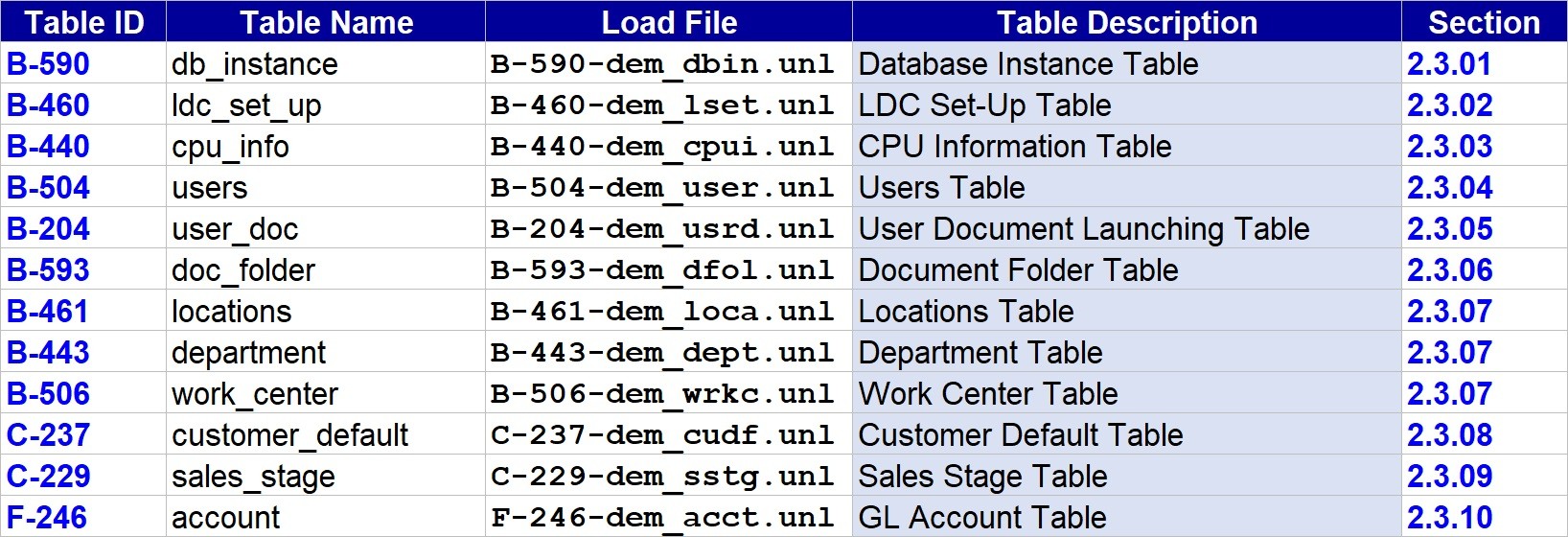
- This section includes the procedures for setting up foundational database information that is required to operate the Global Edge system. This section is divided into the following sub-sections:
- 2.3.01 - Database Instance
- 2.3.02 - Setup Table
- 2.3.03 - CPU Information
- 2.3.04 - User Table
- 2.3.05 - User Document Launching
- 2.3.06 - Document Folder
- 2.3.07 - Locations / Department / Work Center
- 2.3.08 - Customer Defaults
- 2.3.09 - Sales Stage
- 2.3.10 - Chart of Accounts
Step 1: The first step is to open the Global Edge Engineering Assistant software by clicking on the following desktop icon:

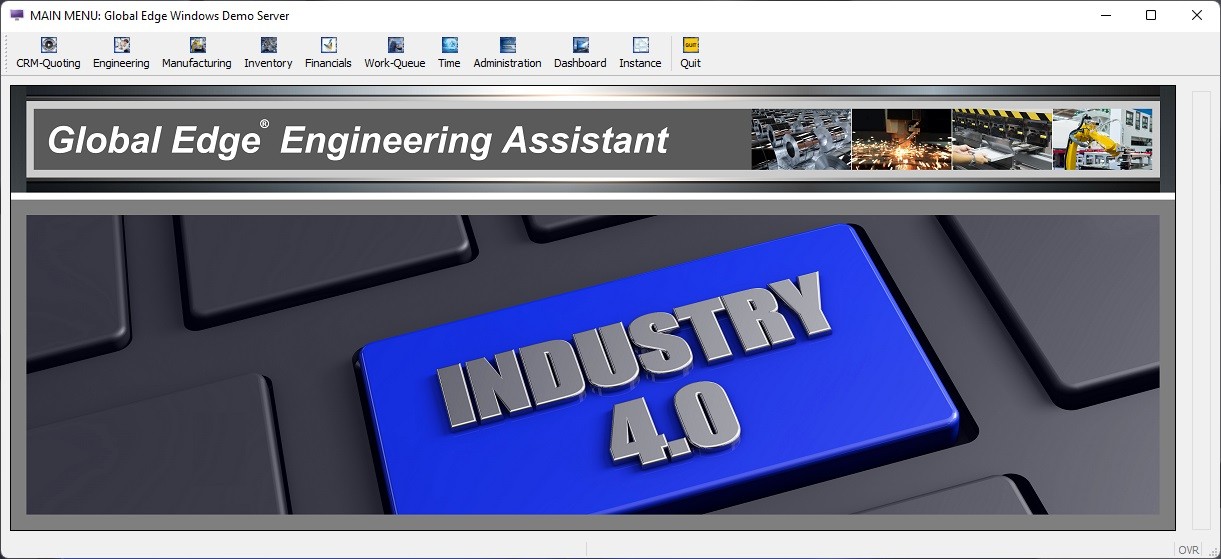
Step 2: This will display the following splash screen and menu options:
2.3.01 - Database Instance
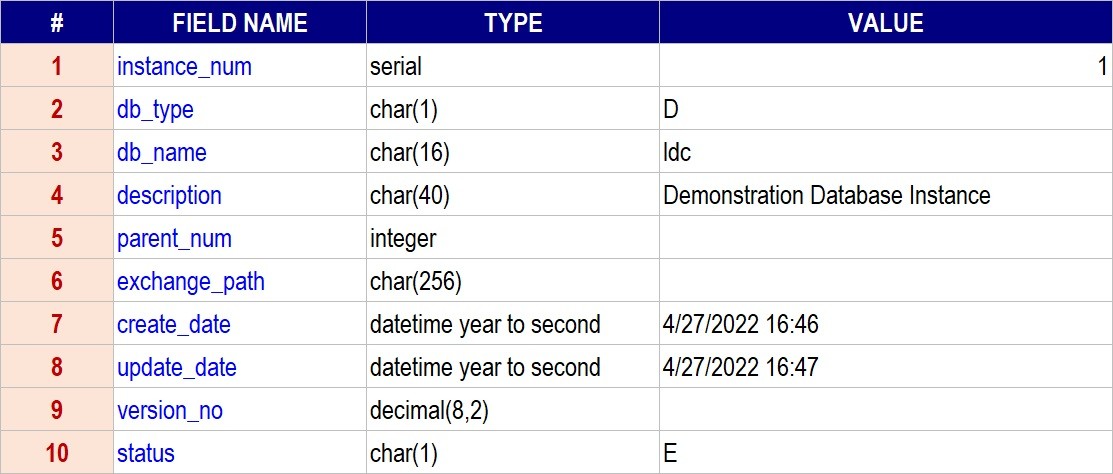
This section provides functionality to define multiple database instances within the Global Edge system.
Menu Sequence: “Administration > Global Edge Create/Upgrade > Update”Load File: (B-590-dem_dbin.unl – Table Name: db_instance)
2.3.02 - Setup Table
This section provides functionality to define Company Profile information for your company including system and financial profile information.
Menu Sequence: “Administration > Locations/Department/Work Center”Load File: (B-460-dem_lset.unl – Table Name: ldc_set_up)

2.3.03 - CPU Information
This section provides functionality to define CPU Information on the PC or Server the Global Edge database resides on.
Menu Sequence: “Manufacturing > Work Center Machines > Find > Machine > CPU-Network > Update”Load File: (B-440-dem_cpui.unl – Table Name: cpu_info)

2.3.04 - Users Table
This section provides functionality to define different Users that need access to the Global Edge system.
Menu Sequence: “Administration > Security Maintenance > Users > Update”Load File: (B-504-dem_user.unl – Table Name: users)
2.3.05 - User Document Launching
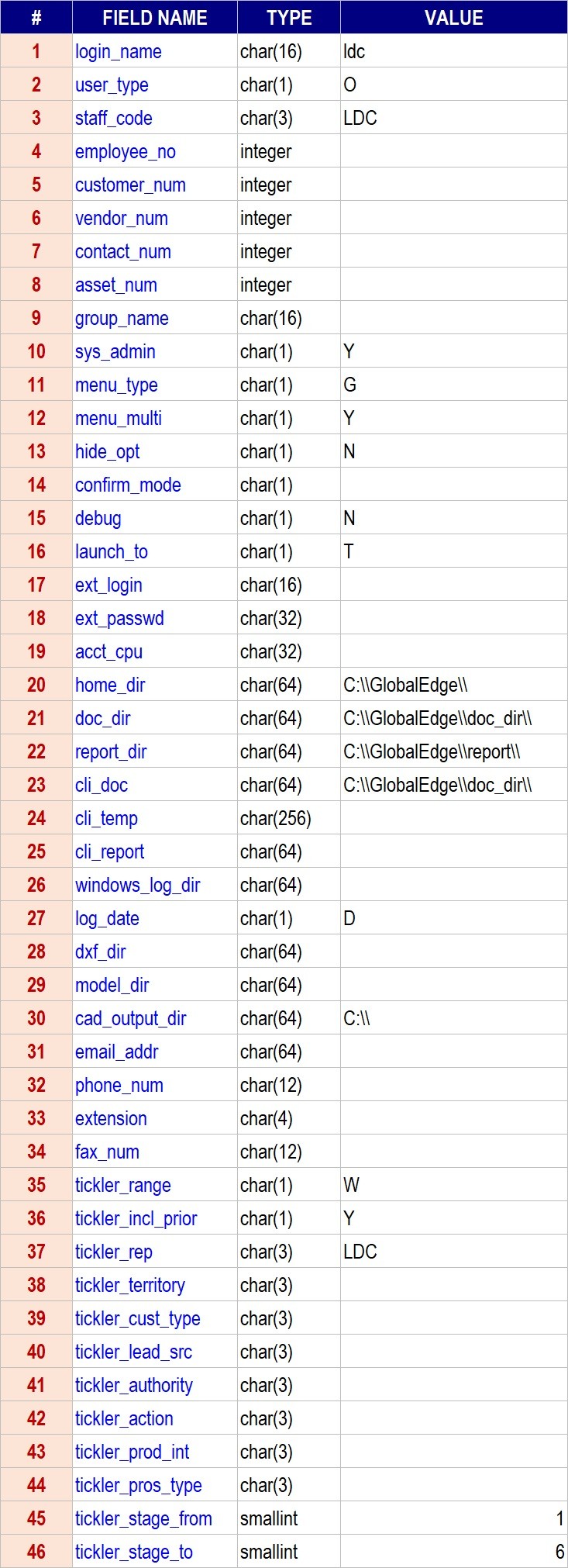
This section provides functionality to define a Command Line on how to launch the Document Editors defined in “Section 2.2.05 – Document Editors” per user login.
Menu Sequence: “Administration > Security Maintenance > Users > Update > ”Load File: (B-204-dem_usrd.unl – Table Name: user_doc)

2.3.06 - Document Folder
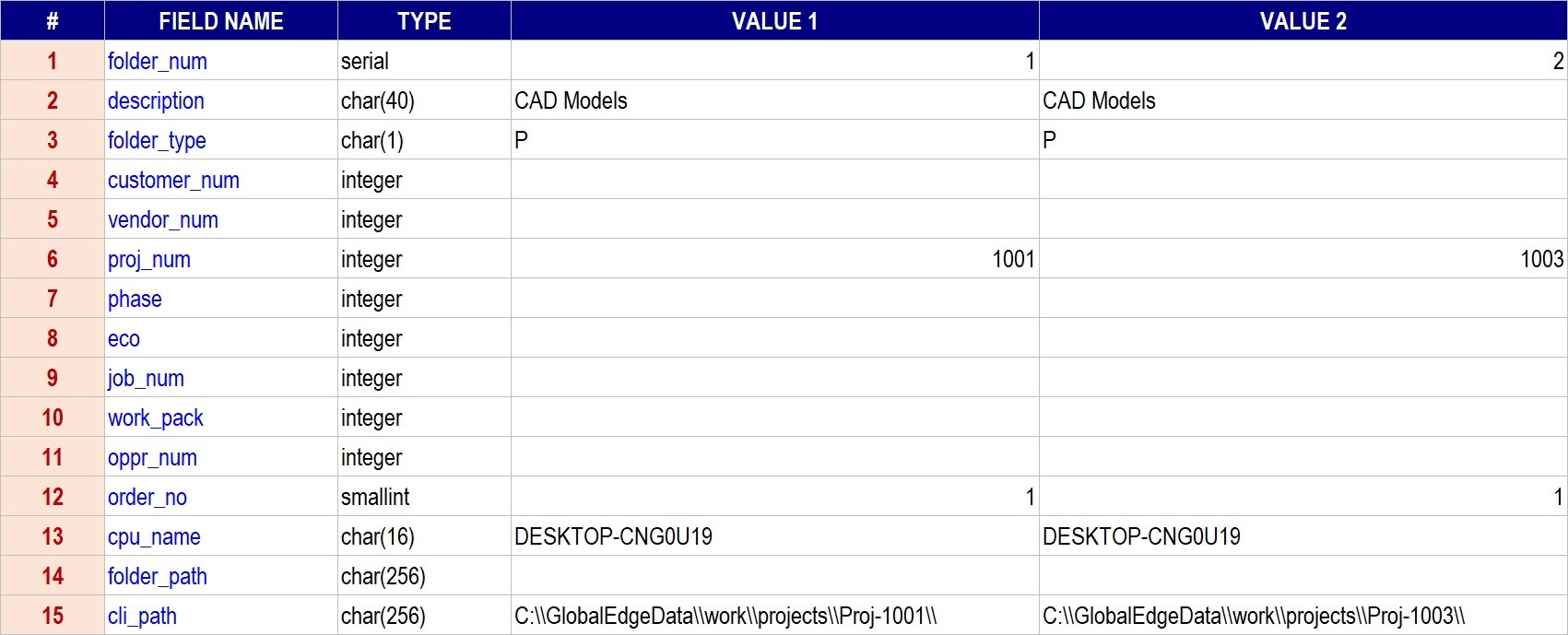
This section provides functionality to define Document Folders that are associated with specific Engineering Projects to store associated documents.
Menu Sequence: “Engineering > Project / ECO Management > Find > Project > Options > Folders”Load File: (B-593-dem_dfol.unl – Table Name: doc_folder)
2.3.07 - Locations / Department / Work Center
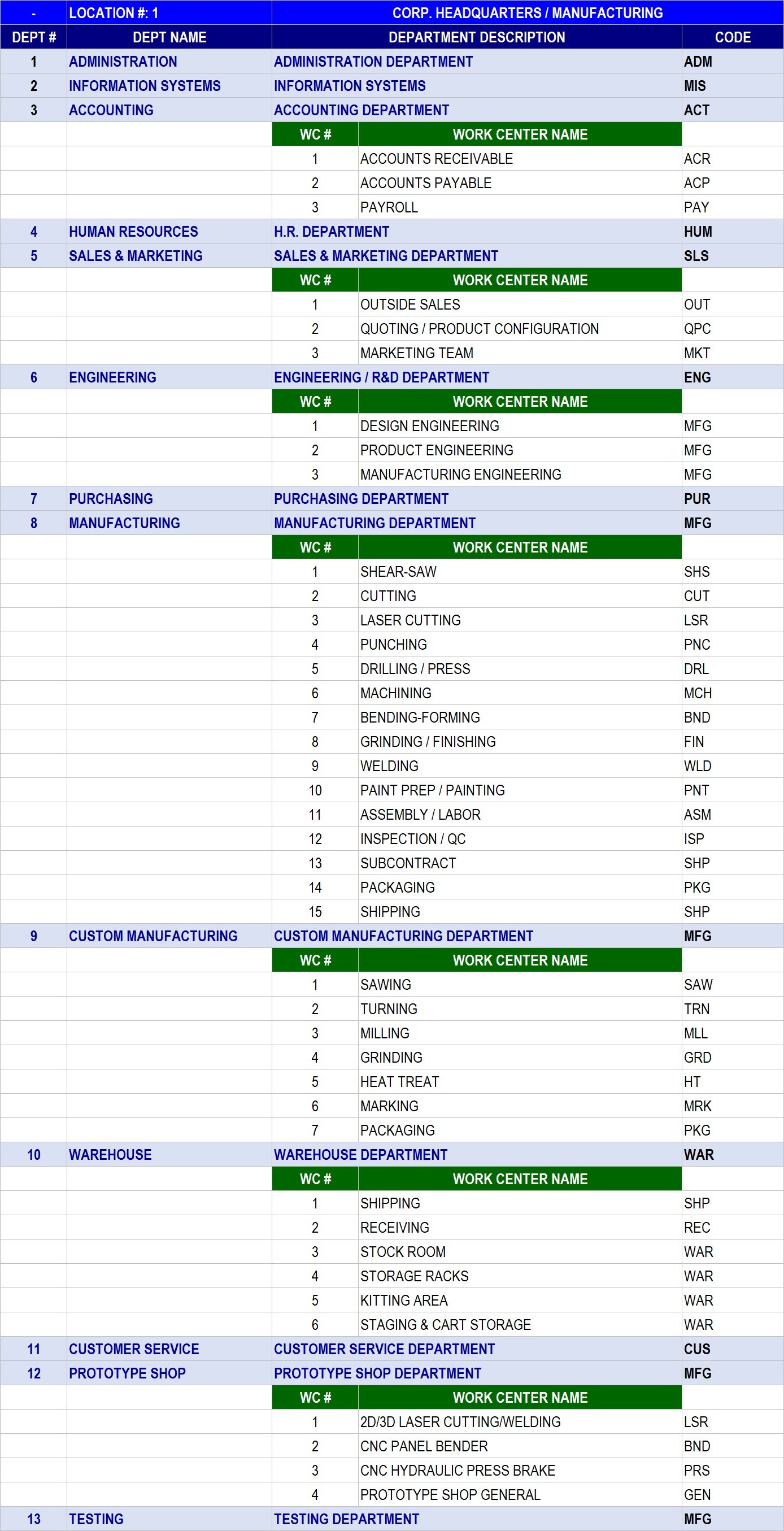
This section allows you to define Locations, Departments, Work Centers that matches your manufacturing enterprise. As engineering tasks are processed and stored in the Global Edge system, information such as routing steps can include the proper Location, Department, Work Center.
Menu Sequence: “Administration > Locations/Department/Work Center > Locations”Load File: (B-461-dem_loca.unl – Table Name: locations)Load File: (B-443-dem_dept.unl – Table Name: department)Load File: (B-506-dem_wrkc.unl – Table Name: work_center)


2.3.08 - Customer Defaults
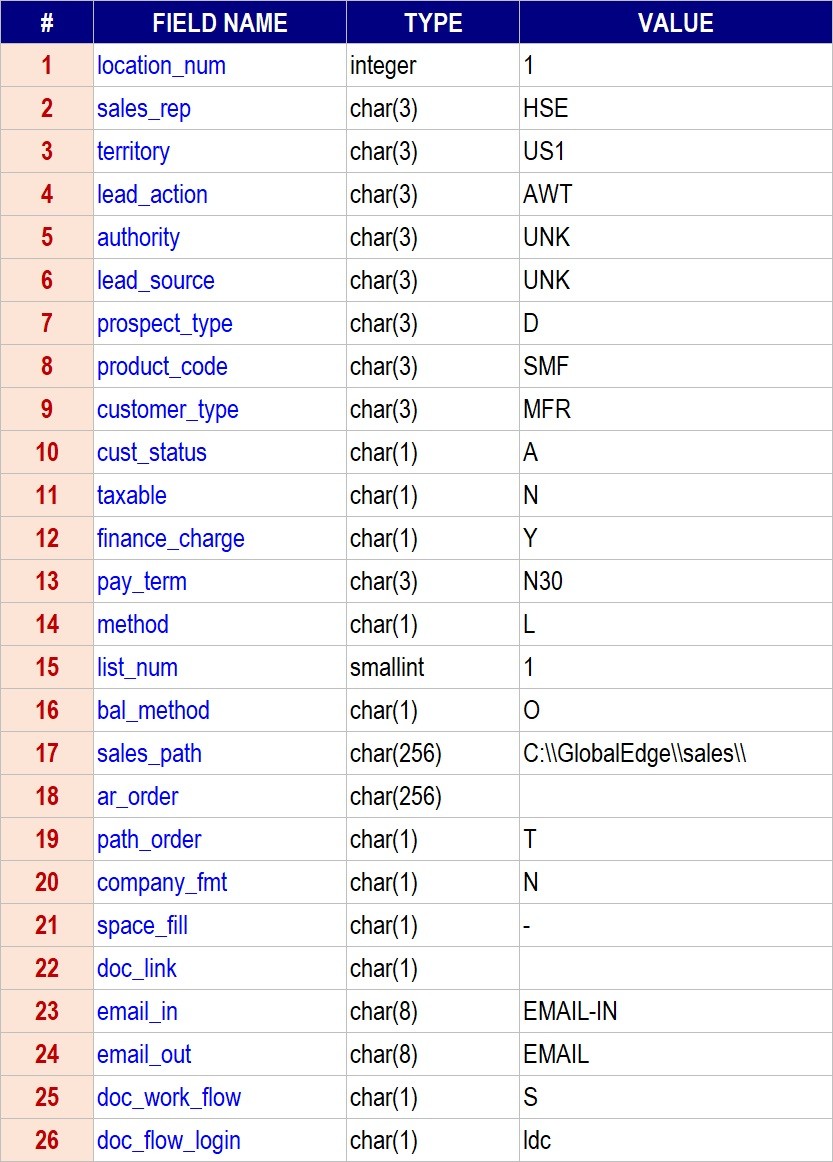
This section provides functionality to set Customer Defaults that automatically populates a customer record with default information as each new customer record is added to the Global Edge system.
Menu Sequence: “Administration > Locations/Department/Work Center > Defaults”Load File: (C-237-dem_cudf.unl – Table Name: customer_default)
2.3.09 - Sales Stage
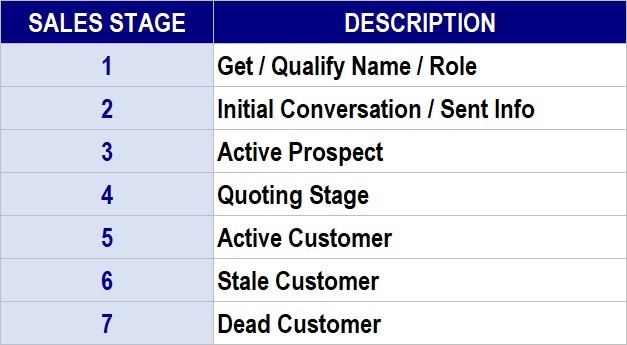
This section allows you to define the various Sales Stages that your company goes through with each of your prospects.
Menu Sequence: “CRM-Quoting > Sales Management Configuration > Sales-Stage”Load File: (C-229-dem_sstg.unl – Table Name: sales_stage)
2.3.10 - Chart of Accounts
This section provides functionality to define a General Ledger Chart of Accounts. While this information is not required for system operation, it provides an effective tool to organize the information generated in the Global Edge system. Additionally, the General Ledger Chart of Accounts can match your ERP system which will make the transferring of information between Global Edge and ERP much more efficient.
Menu Sequence: “Financials > General Ledger > G.L Accounts / Transactions > Accounts”Load File: (F-246-dem_acct.unl – Table Name: account)
