Automated Sheet Metal Batch Unfolding
Blog Post 1.03.02 - Automate the Preparation of CAD Models for Nesting Software
Provide your nesting software with DXF flat files sorted by material, thickness and required date. Read More ...

Global Edge Video Blog-1.03

Automate the Preparation of CAD Models for Nesting Software
The preparation of 3D Sheet Metal CAD Models and 2D DXF Flat Files for your nesting software can be a labor-intensive engineering workflow process. This includes the adjustment of bend radii to match the proper bending machine tool.
Global Edge Engineering Assistant can optionally integrate with your ERP and PDM / Document Control systems to process daily production with an Automated Production Work Queue. This includes the ability to automatically configure and adjust 3D Sheet Metal CAD Models to match daily production orders and produce nesting software ready DXF Flat Files. This includes the following features and benefits:
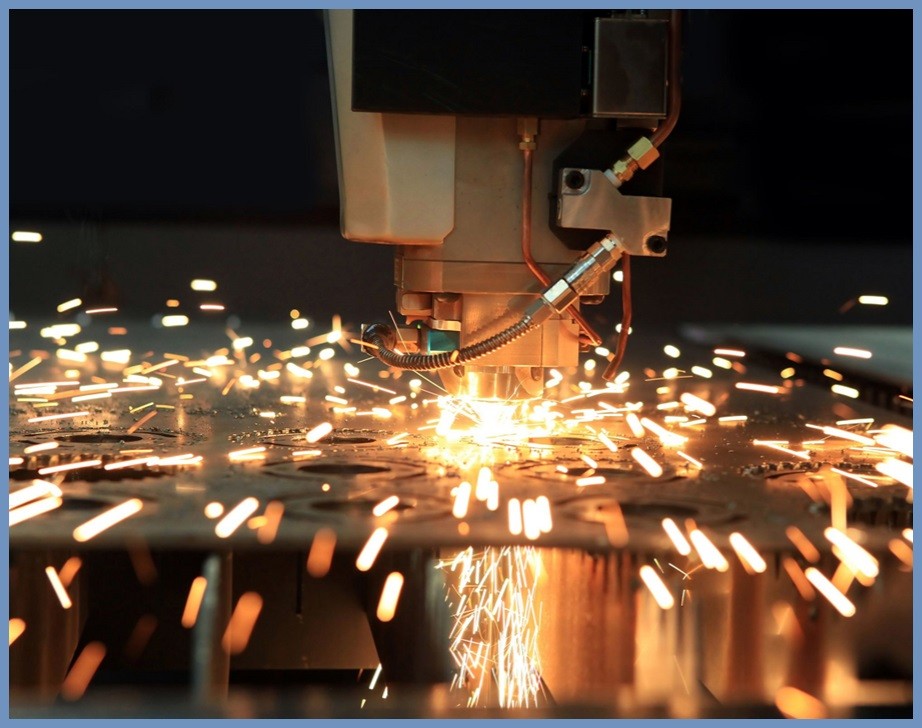
- Automated Sorting by Material & Thickness
- Automated Adjustment of Bend Radii by Machine Tool
- Automated Integration of Extended DXF Flat File Data
- Automates Manufacturing Engineering Process
- Eliminates Shop Floor Errors

Automated Production Work Queue
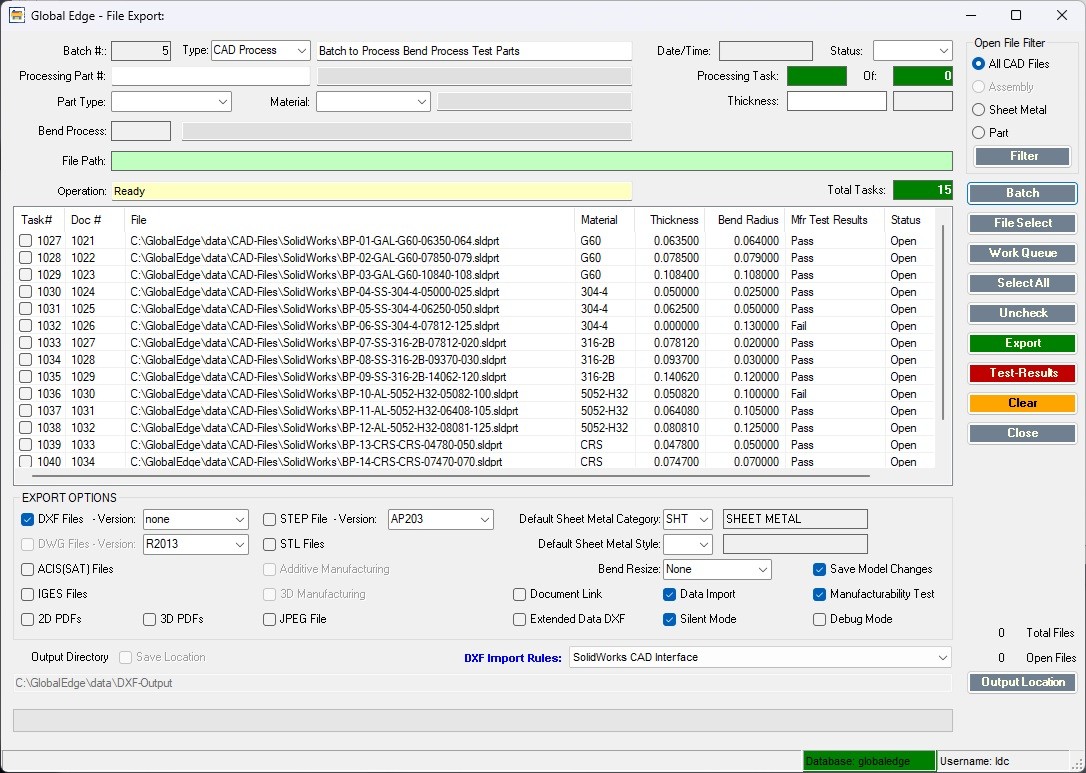
The following is an Automated Production Work Queue that automates the process of generating DXF Flat Files including Manufacturability Testing to ensure that each sheet metal part can be successfully fabricated before reaching the shop floor:
Automating the Preparation of CAD Models for Nesting Software
Enhancing Efficiency and Accuracy in Sheet Metal Manufacturing Workflows
The preparation and management of computer-aided design (CAD) models for sheet metal fabrication is an essential but often labor-intensive process in modern manufacturing. As demand for precision, efficiency, and scalability grows, the automation of CAD model preparation for nesting software becomes increasingly vital. In this comprehensive guide, we explore the strategies, technologies, and benefits associated with automating the workflow from 3D sheet metal CAD models to 2D DXF flat files, focusing on sorting, adjustment, integration, and error elimination.
Understanding the Manufacturing Workflow
The manufacturing engineering workflow typically involves the following steps:
- Design and creation of 3D sheet metal models in CAD software
- Adjustment of bend radii and geometries to align with the designated bending machine tools
- Flattening of 3D models into 2D DXF flat files suitable for nesting and subsequent cutting operations
- Sorting and organizing DXF files by material, thickness, and required production dates
- Integration of extended file data for production planning and control
- Transfer of finalized files to nesting software for optimization and manufacturing
Historically, these processes require significant manual intervention, increasing the risk of errors, delays, and inconsistencies that can propagate throughout the shop floor and impact overall productivity.
The Role of Nesting Software in Sheet Metal Fabrication
Nesting software is designed to optimize the layout of parts on raw material sheets, minimizing waste and maximizing efficiency. Its effectiveness depends on the accuracy and consistency of the input DXF flat files. Mismatches in material type or thickness, incorrect bend radii, or incomplete file data can lead to shop floor errors, costly rework, and lost time.
Automating the preparation of these input files ensures that the nesting software operates with reliable, production-ready data, driving improvements across the manufacturing organization.
Automation Strategies for CAD Model Preparation
Advanced systems such as Global Edge Engineering Assistant offer a suite of automation tools to streamline CAD model preparation for nesting software. Key automation strategies include:
1. Automated Sorting by Material, Thickness, and Required Date
The software extracts metadata from the CAD models and associated production orders, automatically sorting DXF flat files according to:
- Material type (e.g., mild steel, stainless steel, aluminum)
- Sheet thickness (e.g., 1.0 mm, 2.5 mm, etc.)
- Required production date (to align with manufacturing schedules)
By automating this sorting, engineers eliminate manual tracking and organization, reduce the risk of misallocation, and ensure that each batch is ready for its designated production run.
2. Automated Adjustment of Bend Radii by Machine Tool
One of the most common sources of downstream error in sheet metal manufacturing is the mismatch between CAD model bend radii and the physical capabilities of the bending machine tool. Automating this adjustment involves:
- Integrating a database of machine tool parameters within the CAD preparation workflow
- Scanning 3D models for bends and automatically configuring radii to match the selected tool
- Flagging and resolving potential conflicts or unsupported features before generating flat patterns
This process not only ensures manufacturability but also significantly reduces the time required for manual verification and revision.
3. Automated Integration of Extended DXF Flat File Data
Manufacturing operations often require additional data embedded within DXF files, such as:
- Part numbers and revision codes
- Order information and batch identifiers
- Operator notes and special instructions
- Quality control checkpoints
Automation tools can extract these data points from ERP (Enterprise Resource Planning) or PDM (Product Data Management) systems, embedding them within the DXF output. This ensures that every file carries consistent, up-to-date information that aligns with production needs and quality standards.
Integration with ERP and PDM Systems
Seamless integration with ERP and PDM systems is fundamental to unlocking true automation. Global Edge Engineering Assistant, for example, can establish automated links to production orders, material inventory, and document control systems. Key integration benefits include:
- Automatic retrieval of daily production orders and relevant parameters
- Dynamic adjustment of CAD models and nesting files to match current manufacturing requirements
- Real-time updates and file generation, reducing lag between engineering and shop floor
- Centralized document control, preventing duplicates and outdated revisions
By connecting engineering data directly with business operations, manufacturers streamline their workflows and ensure that every file, model, and order is aligned and ready for production.
Automated Production Work Queue
An automated work queue facilitates continuous, just-in-time file preparation for the shop floor. Features include:
- Scheduled processing of CAD models and generation of DXF flat files
- Automated prioritization based on material availability, machine capacity, and delivery deadlines
- Instant notification to production teams when files are ready and verified
This approach dramatically reduces lead times and provides greater responsiveness to changing orders or last-minute adjustments.
Eliminating Shop Floor Errors
The automation of the manufacturing engineering process produces several critical benefits:
- Consistency: Automated file preparation eliminates manual variation, ensuring that every DXF flat file matches production parameters.
- Accuracy: Machine tool data and extended metadata are integrated automatically, reducing risk of mismatches and incomplete information.
- Traceability: Systematic integration with ERP and PDM systems creates a reliable audit trail for all files and production orders.
- Quality: Early conflict resolution prevents downstream issues, improving first-pass yield and minimizing costly rework.
By deploying automation, manufacturers are able to shift skilled engineering labor from repetitive tasks to higher-value work, driving innovation and continuous improvement.
Features and Benefits of Automated CAD Model Preparation for Nesting Software
- Automated Sorting by Material & Thickness: Ensures each DXF batch is ready for its machine and schedule, reducing confusion and idle time on the shop floor.
- Automated Adjustment of Bend Radii by Machine Tool: Guarantees manufacturability and consistency with machine capabilities, lowering risk of production delays.
- Automated Integration of Extended DXF Flat File Data: Embeds critical information and instructions directly into every file, streamlining communication and quality control.
- ERP and PDM Integration: Connects engineering with business processes, enabling fully automated and dynamic file preparation.
- Automated Production Work Queue: Provides real-time file generation and distribution for continuous production flow.
- Eliminates Shop Floor Errors: Reduces manual intervention and oversight, ensuring that each operation proceeds smoothly and efficiently.
Conclusion
The automation of CAD model preparation for nesting software is a transformative step for sheet metal manufacturers seeking to improve productivity, reduce errors, and stay competitive in an increasingly demanding market. Systems like Global Edge Engineering Assistant provide powerful capabilities—from intelligent sorting and adjustment to full integration with enterprise systems and automated daily production workflows.
By embracing automation, manufacturers empower their engineering and production teams to focus less on repetitive administrative tasks and more on delivering precision, quality, and innovation. The journey from 3D CAD model to nesting-ready DXF file becomes seamless, reliable, and fully synchronized with the needs of modern manufacturing.
As the technological landscape continues to evolve, those who invest in automated workflows position themselves for long-term success, ensuring that every part, every order, and every file is prepared and executed with excellence.