SolidWorks CAD Model Explorer
Blog Post 2.02.03 - Generate Manufacturing Bill of Materials From Your CAD Models
Automatically generate a complete manufacturing bill of materials from your SolidWorks assemblies. Read More ...

Global Edge Video Blog-2.02

Generate Manufacturing Bill of Materials from Your CAD Models
Global Edge Engineering Assistant provides the capability to generate a complete Manufacturing Bill of Materials from your SolidWorks CAD Model Assemblies. This is accomplished with software functionality that automatically analyzes each assembly component and stores complete parameters for each part. Each assembly part is then automatically processed with the built-in Global Edge Configuration Engine which generates optimal routings for each component at each assembly level to produce a complete Manufacturing Bill of Materials.

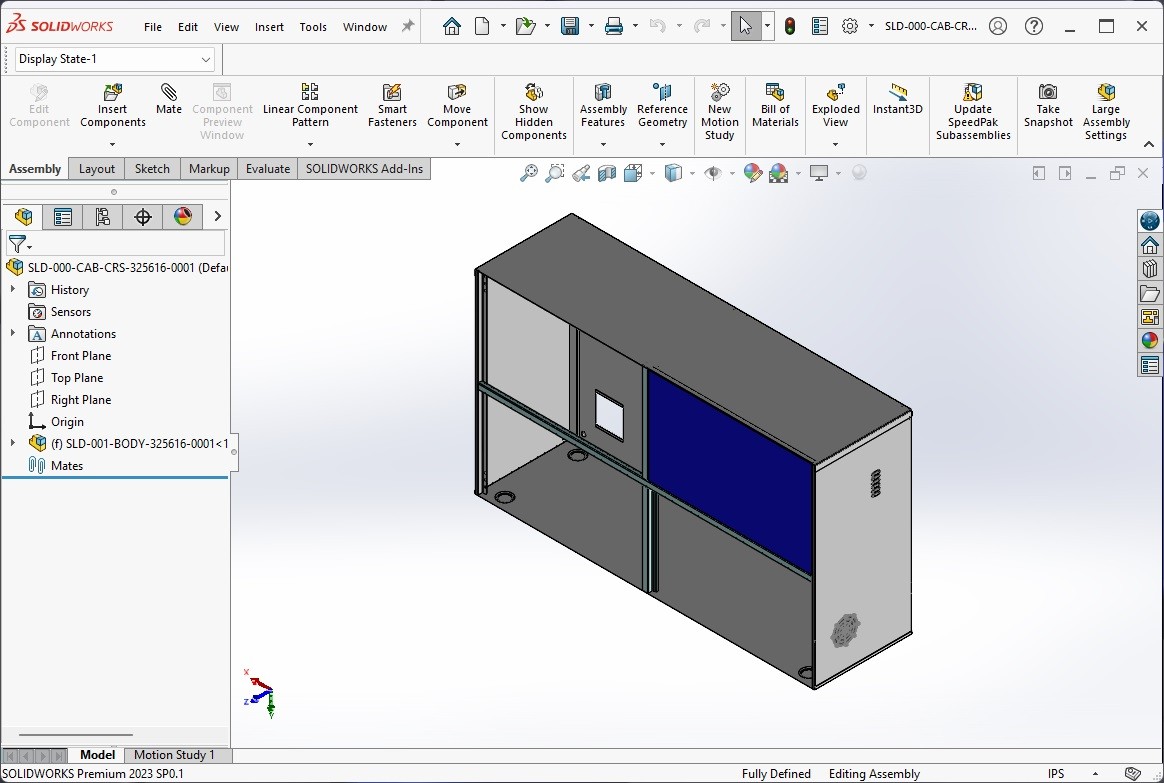
.jpeg "image title")
- Automatically Generates Complete Manufacturing Bill of Materials from Your CAD Model Assemblies
- Eliminates Manual Analysis of CAD Parts
- Incorporates Tribal Knowledge into Automated Workflow
- Provides Accurate and Timely Information Throughout Manufacturing Enterprise
Automated Manufacturing Bill of Materials Generation from SolidWorks CAD Models
Enhancing Production Efficiency with Global Edge Engineering Assistant
In today's fast-paced manufacturing environment, efficiency, accuracy, and seamless communication are crucial factors for success. One of the central documents driving the manufacturing process is the Manufacturing Bill of Materials (MBOM)—a comprehensive, hierarchical listing of all the components, subassemblies, and raw materials required to build a finished product. Traditionally, creating an MBOM from complex CAD assemblies has been a time-consuming, error-prone process involving extensive manual analysis. However, advances in engineering software have revolutionized this task, making it more accurate, streamlined, and integrated.
Enter Global Edge Engineering Assistant: a powerful tool designed to bridge the gap between engineering design and manufacturing execution. By leveraging the intelligence embedded within your SolidWorks CAD models, this software automates the generation of complete MBOMs, eliminating the need for tedious manual intervention.
From CAD Assemblies to Complete MBOMs: The Automated Process
The core capability of Global Edge Engineering Assistant lies in its seamless integration and deep analysis of SolidWorks assembly models.
- Automatic Extraction of Assembly Data: As users develop assemblies in SolidWorks, each component and subassembly is assigned properties and parameters—such as material type, quantity, configuration, and more. The software parses through these digital blueprints, identifying every part and extracting all relevant information needed for downstream manufacturing.
- Component Analysis and Parameter Storage: Rather than relying on engineers to manually review and document each piece of the assembly, the system automatically analyzes the structure. It records essential parameters—dimensions, material specifications, finishing requirements, and unique identifiers—storing them for further use.
- Configuration Engine and Optimal Routing: The built-in Global Edge Configuration Engine takes the extracted component data and determines the optimal manufacturing pathways for each part. This includes identifying the most efficient order of operations, required machines or processes, and potential bottlenecks. The engine’s flexible logic can accommodate complex assembly hierarchies and unique production requirements.
- Automated MBOM Generation: With all components analyzed and routings specified, the system automatically compiles a comprehensive MBOM. This document is formatted to suit the needs of manufacturing planners, procurement teams, and shop floor personnel, ensuring that every stakeholder has access to accurate, up-to-date data.
Key Benefits of Automatic MBOM Generation
The impact of automating MBOM creation extends far beyond time savings. Among the most significant advantages are:
- Elimination of Manual Analysis: No longer do engineers need to painstakingly inspect and document every CAD part. Automation reduces the risk of human error, ensures no components are missed, and dramatically accelerates the transition from design to production.
- Integration of Tribal Knowledge: The software allows manufacturers to embed best practices, lessons learned, and expert insights—what is often termed “tribal knowledge”—directly into the automated workflow. Over time, the system evolves, capturing valuable know-how that can be consistently applied to future projects.
- Accurate and Timely Information: By drawing information directly from the latest CAD models, the MBOM always reflects the current state of design. Changes in the assembly propagate instantly through to the manufacturing documentation, eliminating costly miscommunications and delays.
- Enhanced Collaboration Across the Enterprise: The generated MBOMs are accessible to all relevant stakeholders—engineering, procurement, production, and management—ensuring a single, unified source of truth. This transparency supports better project coordination and faster decision-making.
How Global Edge Engineering Assistant Works
Let’s take a closer look at the workflow involved in generating an MBOM from your SolidWorks assemblies:
1. Integration with SolidWorks
Global Edge Engineering Assistant integrates directly with SolidWorks, utilizing APIs and native file formats to access assembly data in real time. Engineers work in their familiar CAD environment, and the Assistant operates in the background, ready to process the model at any stage.
2. Assembly Structure Mapping
The tool analyzes the assembly’s hierarchy, identifying subassemblies, purchased and fabricated parts, fasteners, and any special components. It recognizes configurations, variations, and custom properties, capturing the complete structure.
3. Parameter Extraction and Storage
Every component’s metadata—such as part number, revision, material, finish, dimensions, and supplier information—is extracted and stored in a centralized database. This granular data ensures traceability and supports advanced search, reporting, and analytics.
4. Configuration Engine and Manufacturing Routing
Here, the software’s configuration engine applies business logic and best practices to determine the optimal manufacturing sequence for each part. It identifies dependencies, required manufacturing steps, and any special handling instructions. The system is configurable, allowing organizations to tailor routing rules according to their processes and resources.
5. MBOM Compilation and Export
Global Edge Engineering Assistant compiles the final MBOM, which includes the complete breakdown of raw materials, purchased components, subassemblies, and their relationships. Export options include integration with ERP systems, direct output to spreadsheets or PDF, and custom formats to suit specialized needs.
6. Continuous Updates and Version Control
As the CAD model evolves, the MBOM can be regenerated at the click of a button. The Assistant tracks revisions and updates, ensuring that the manufacturing team always works from the latest information.
Practical Advantages for Manufacturing Teams
- Rapid Quotation and Procurement: With a complete MBOM instantly available, sourcing teams can begin the RFQ (Request for Quotation) process and secure materials without delay.
- Improved Cost Estimation: Detailed breakdowns support accurate cost calculations and margin analysis early in the design process.
- Error Reduction: Automated MBOMs eliminate common mistakes such as missing items, duplicate entries, or outdated part numbers.
- Faster Time to Market: Streamlined documentation accelerates the NPI (New Product Introduction) phase, allowing companies to respond more quickly to market opportunities.
Real-World Application: A Case Study
Imagine a manufacturer designing a new electromechanical device in SolidWorks. The assembly consists of hundreds of components sourced from multiple suppliers, along with custom-fabricated parts. Historically, preparing the MBOM involved days of manual review, with frequent errors and costly delays.
With Global Edge Engineering Assistant, as soon as the design is finalized in SolidWorks:
- The software scans and analyzes every assembly and subassembly.
- All part parameters—material, finish, supplier—are automatically extracted.
- The Configuration Engine applies optimal routing, referencing organizational knowledge and best manufacturing practices.
- A complete MBOM is generated instantly, with accurate routings for each component at every assembly level.
- The MBOM is seamlessly exported to the ERP system, making procurement and production scheduling immediate and error-free.
Incorporating Tribal Knowledge
A unique strength of the Global Edge workflow is its ability to encode “tribal knowledge”—that is, the practical expertise of seasoned engineers and technicians—into the automated rules and configuration engine. This means that lessons learned in past projects, special handling instructions, or preferred suppliers can be codified, ensuring consistency and continuous improvement across all future assemblies.
Conclusion
The automatic generation of Manufacturing Bill of Materials from SolidWorks CAD assemblies represents a significant leap forward in manufacturing efficiency. By eliminating manual analysis, capturing tribal knowledge, and delivering accurate, timely information across the organization, tools like the Global Edge Engineering Assistant help manufacturers reduce costs, improve quality, and accelerate delivery. In an era where speed and accuracy mean competitive advantage, automated MBOM solutions are rapidly becoming essential for modern production environments.