Automated CAD Model Configuration
Blog Post 5.01.01 - Eliminate Manual Configuration of Parts & Assembles
Automate and simplify the approach to configuring parts and assemblies. Read More ...
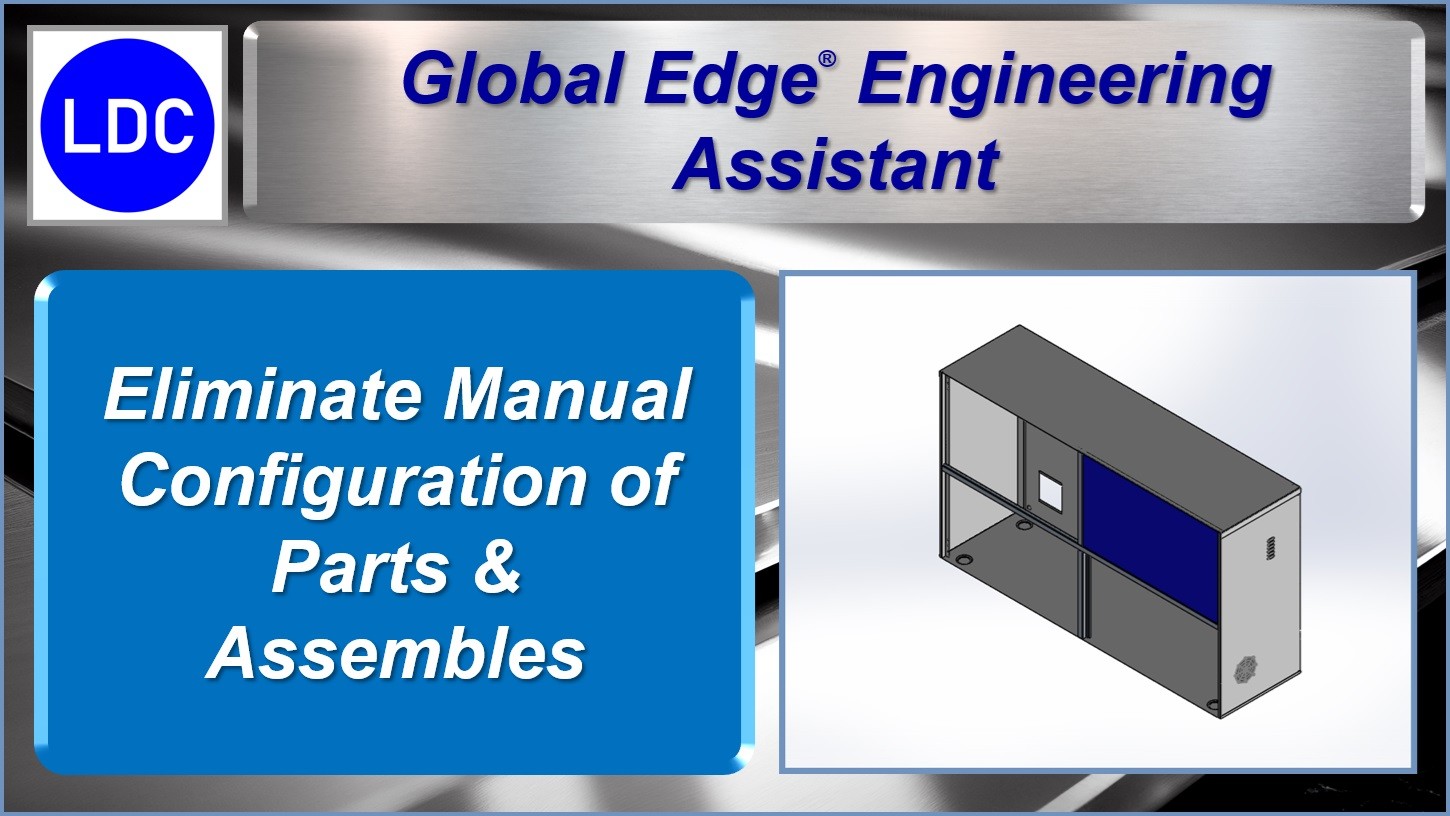
Global Edge Video Blog-5.01

Eliminate Manual Configuration of Parts & Assemblies
A labor-intensive process associated with engineering departments is the design and configuration of engineer to order (ETO) and configure to order (CTO) products is the copying, renumbering and resizing of CAD models. Global Edge Engineering Assistant provides an innovative approach to the configuration of configurable products. This approach starts with a "Plug & Play" Configuration Engine that works with your existing external CAD models or within your SolidWorks 3D CAD software.
This process includes the capability to define user prompts to input values to drive a configured part and/or assembly. The input of these values can include either manual input or the automated feed from another system. These other systems can include quoting spreadsheets, customer web portals, sales configurator, etc. The following is an example of potential user prompts:
This process includes the capability to define user prompts to input values to drive a configured part and/or assembly. The input of these values can include either manual input or the automated feed from another system. These other systems can include quoting spreadsheets, customer web portals, sales configurator, etc. The following is an example of potential user prompts:
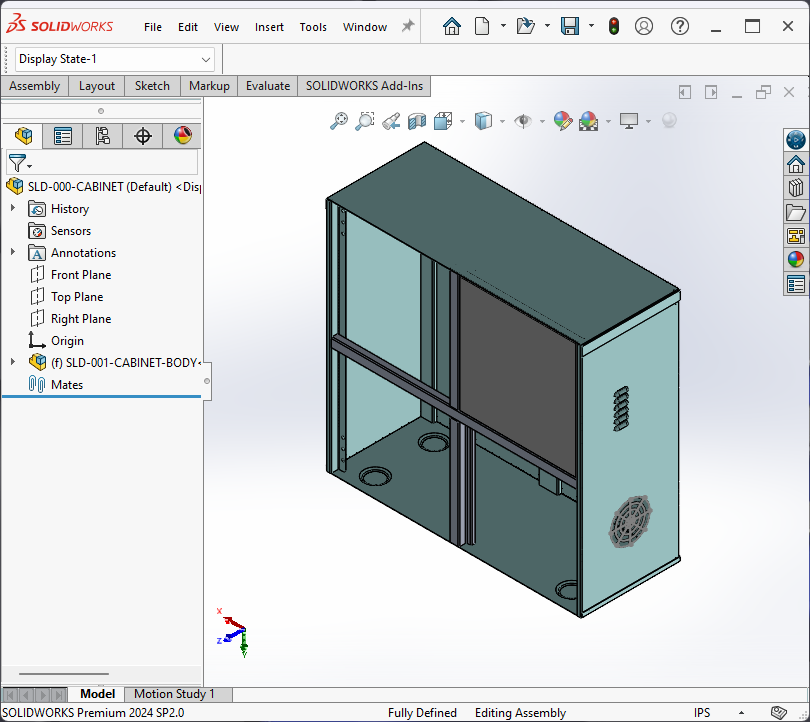
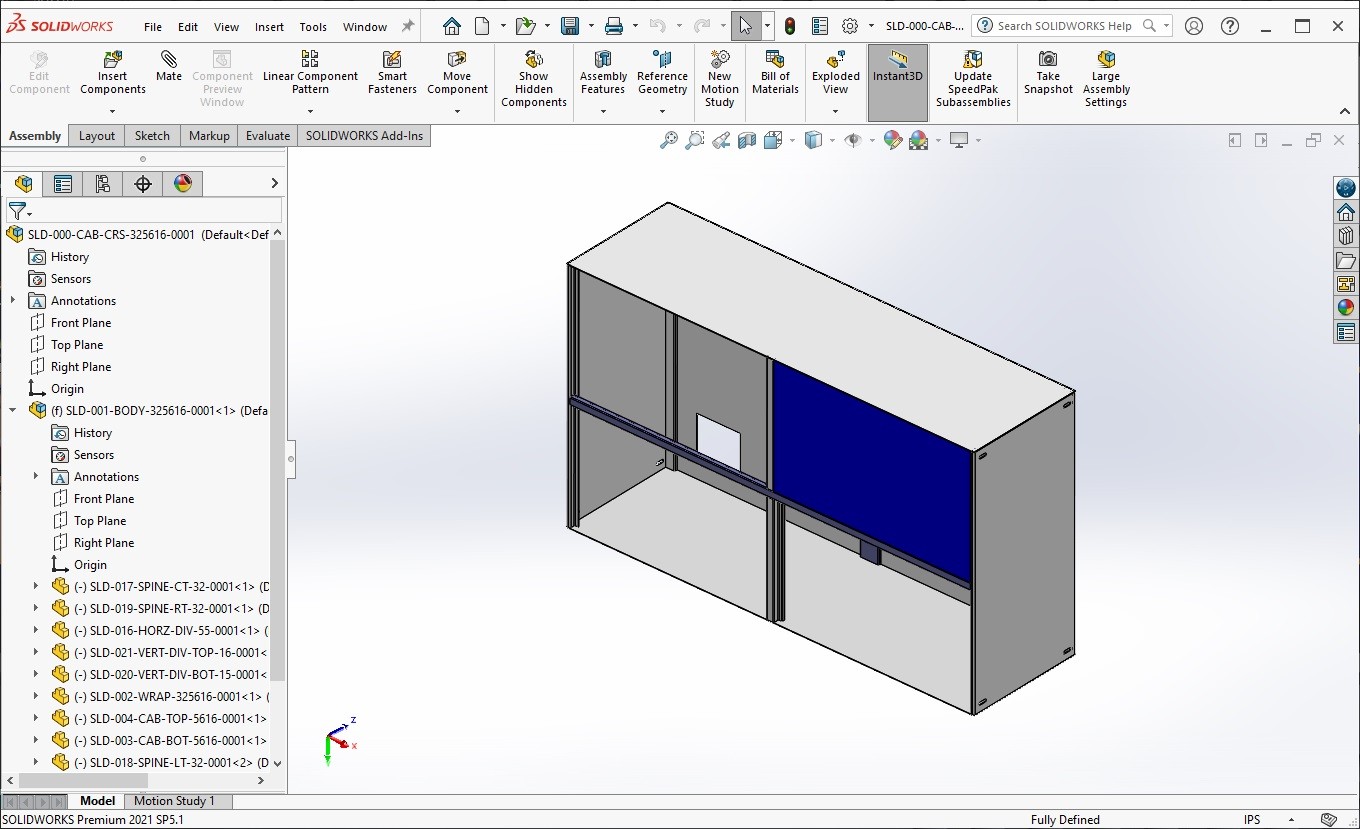

The innovation behind the Global Edge Configuration Engine is that it can be plugged into your existing workflow where needed or delivers a full-functioned configuration system. Key features and benefits include:
- Configuration Engine that Generates Simple-to-Complex Product Configurations
- Provides Soft-Coded Excel Like Configuration Rules
- Provides Automated Part Number Generation
- Generates Optimal Routings
- Integrates with Customer Web Portal to Generate Online Product Configurations
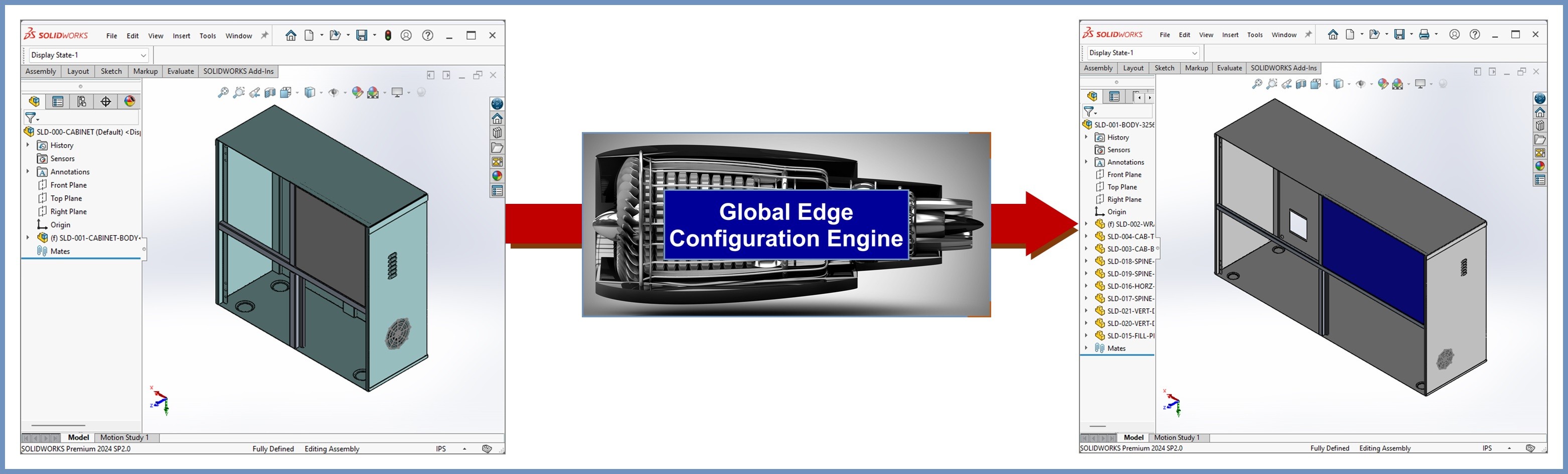
These user prompts are automatically driven into the “Global Edge Configuration Engine” that performs the following tasks:
- Copying and Renumbering of Template CAD Parts into Configured Part Numbers
- Automated Resizing of Configured CAD Model Template Parts
- Automated Rebuild of Configured CAD Model Assembly
Automated Part Number Generation
A significant challenge with the management of inventory part numbers throughout the manufacturing enterprise normally starts with the assignment of new part numbers, generally in engineering. The assignment of new part numbers without realizing there is an existing part with the same size leads to the duplication of parts. Global Edge Engineering Assistant with the “Automated Part Number Generation” capability, provides a simplified method to find and locate an existing part. This is made possible with “Automated CAD Model Analysis” that provides a complete analysis of sheet metal CAD parts to capture and store the following information that pertains to Automated Part Numbering:
SLD-002-CABINET-BODY-WRAP (Template Part Number)
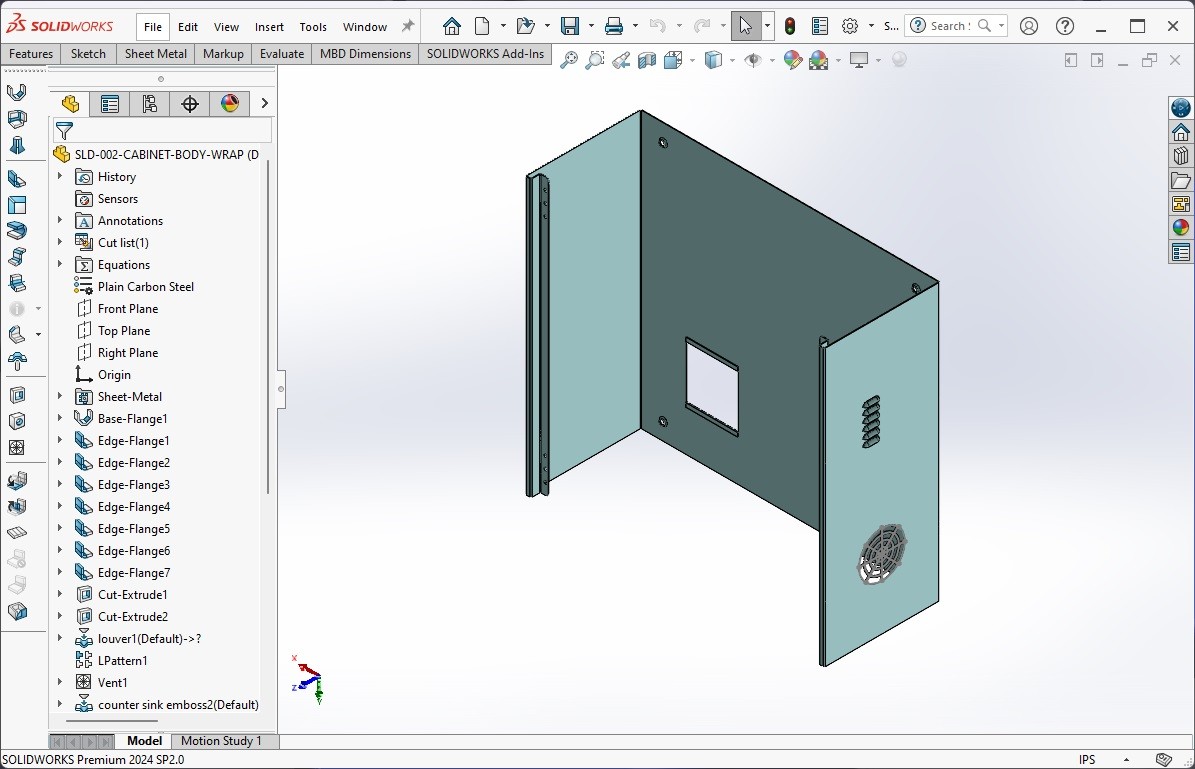
The following is an example of the part numbering rule setup for the above sheet metal cabinet body wrap. This part numbering rule starts with the prefix “SLD-002-WRAP-“ followed by “HH” which embeds the configured part height into the configured part number. This is followed by “WW” for configured part width and “DD” for configured part depth. The last portion of the configured part number is “&&&#” which appends a unique serial number:
SLD-002-WRAP-HHWWDD-&&&# (Template Part Number)
As the Global Edge Configuration Engine configures and executes the configuration of the sheet metal cabinet and each of the component parts, the following is sample of the dimension parameters and values that are utilized for the sheet metal cabinet body wrap:
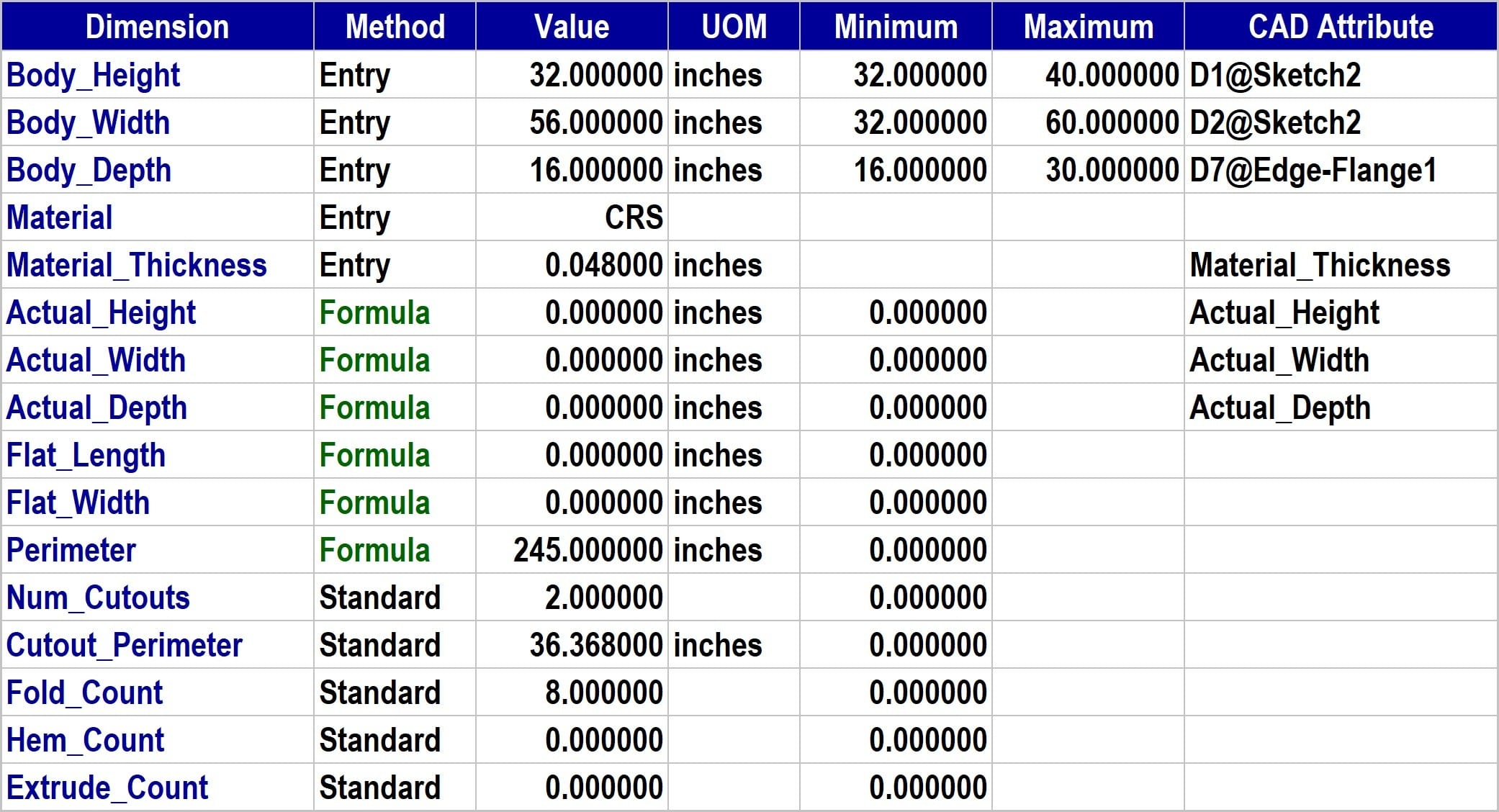
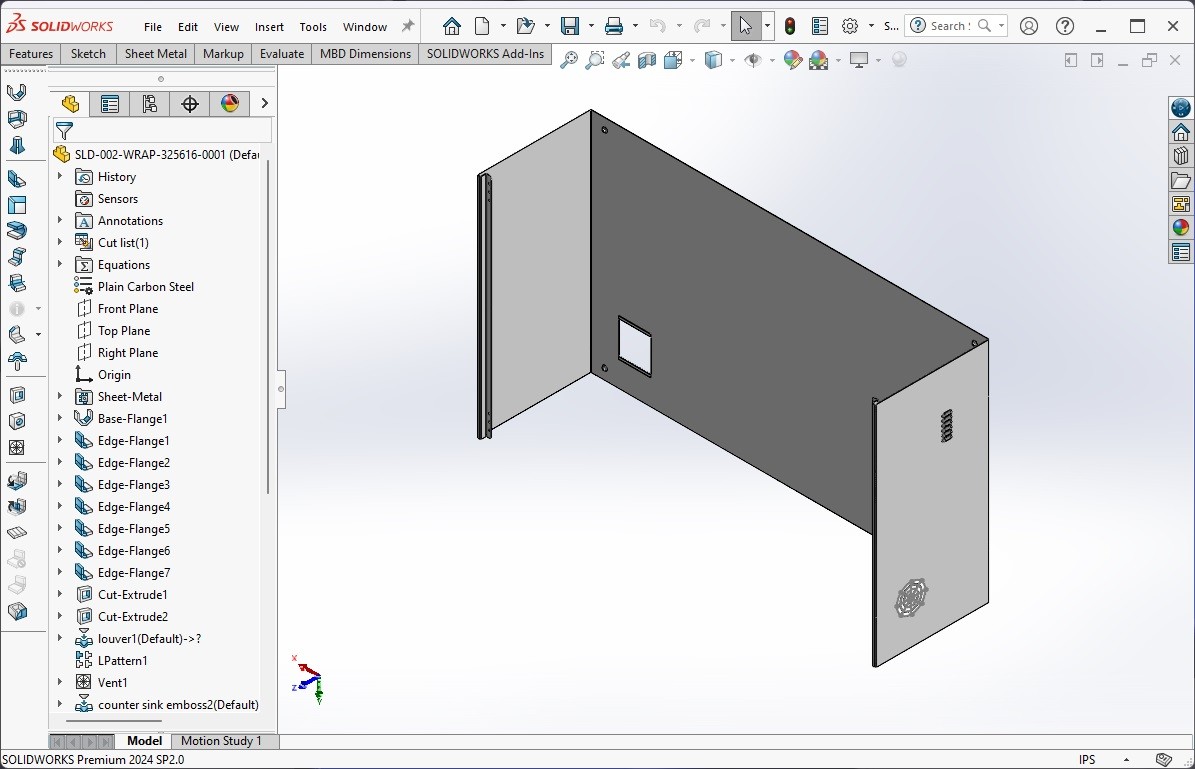
The following is an example of the Configured Part Number utilizing the above dimension parameters:
SLD-002-WRAP-325616-0001 (Configured Part Number)
Automation and Simplification of Parts & Assemblies Configuration
Transforming Configure-to-Order and Engineer-to-Order Processes with Global Edge Engineering Assistant
In many engineering departments worldwide, the process of designing and configuring products tailored to specific needs—whether engineer-to-order (ETO) or configure-to-order (CTO)—remains a complex and labor-intensive activity. Traditionally, this workflow involves a myriad of manual steps: copying existing CAD models, renumbering files to maintain traceability, and resizing components to suit custom requirements. While these tasks are vital to delivering bespoke solutions, they can also drain resources, slow lead times, and introduce opportunities for errors.
Global Edge Engineering Assistant has emerged as an innovative solution to these challenges, offering a streamlined, automated approach to the configuration of parts and assemblies. Its core premise is simple: eliminate unnecessary manual intervention and empower organizations to configure products with greater speed, accuracy, and flexibility. This document explores how the Global Edge Engineering Assistant revolutionizes the configuration process and details the plug-and-play configuration engine, user prompts, and integration capabilities that distinguish it from traditional methods.
The Burden of Manual Configuration
Designing and configuring custom products in an ETO or CTO context is typically marked by a repetitive set of steps. Engineers must take base CAD models and painstakingly adapt them to new requirements—a process that can entail:
- Duplicating and renaming files to ensure version control and project-specific traceability
- Altering geometry to meet new dimensions or specifications
- Reassigning part numbers and assembly identifiers to maintain accurate bills of materials
- Manually updating associated documentation and engineering drawings
These tasks, while necessary, are time-consuming and susceptible to human error. A simple misstep in renumbering, for example, can cascade through procurement, manufacturing, and service departments, resulting in costly mistakes or delays. The repetitive nature of manual configuration is also a drain on valuable engineering resources, diverting talent from higher-value design and innovation work.
Introducing the Global Edge Engineering Assistant
Recognizing the inefficiencies inherent in manual configuration, Global Edge Engineering Assistant introduces an intelligent, automated approach. At its heart is a robust "Plug & Play" Configuration Engine designed to seamlessly integrate with existing workflows, whether using native SolidWorks 3D CAD software or external CAD models.
Key features of Global Edge Engineering Assistant:
- Automated configuration of parts and assemblies based on user-defined inputs
- Compatibility with both external CAD models and native SolidWorks environments
- Flexible prompt system for inputting configuration data
- Integration with external systems such as quoting spreadsheets, web portals, and sales configurators
- Scalable architecture suitable for organizations of all sizes
Plug & Play Configuration Engine
The Plug & Play Configuration Engine is the technological backbone of the Global Edge Engineering Assistant. It enables organizations to automate the adaptation of CAD models to meet specific order or customer requirements without the need for extensive manual intervention.
How it works:
- The engine is initialized with a library of configurable CAD models—these can be standard templates, parametric parts, or assemblies designed to accommodate a range of inputs.
- User prompts are defined, allowing users or external systems to input key parameters (e.g., dimensions, material specifications, color choices).
- Upon receiving input values—either manually entered or automatically pulled from another system—the engine applies these changes to the relevant CAD models, generating new, order-specific files and documentation.
- The configured models are automatically renumbered, resized, and validated, ensuring consistency with project requirements and minimizing the risk of errors.
This approach not only accelerates the configuration process but also ensures greater reliability and repeatability. By leveraging a rule-based engine, organizations can automate the application of complex logic, constraints, and dependencies—freeing engineers from repetitive tasks and reducing lead times.
Defining User Prompts: Bridging Manual and Automated Inputs
One of the most powerful aspects of Global Edge Engineering Assistant is its flexible user prompt system. Configuration begins by defining prompts that capture the essential attributes required to customize a part or assembly. These prompts can be tailored to the organization’s needs and may include:
- Physical dimensions (length, width, height)
- Material type (steel, aluminum, plastic)
- Finish or color options
- Performance specifications (load capacity, operating temperature)
- Assembly features (number of fasteners, presence of specific components)
These prompts can be presented to users through an intuitive interface, allowing for direct manual input during configuration.
Alternatively, the system can be set up to receive inputs automatically from external sources, such as:
- Quoting spreadsheets, where pricing and configuration details are entered at the proposal stage
- Customer web portals, enabling clients to specify their requirements directly
- Sales configurators, which guide sales teams or customers through a step-by-step selection process
This dual capability allows organizations to support both manual and automated workflows, ensuring adaptability to a variety of business processes.
Integration with External Systems
The ability to automate configuration extends beyond the engineering department. With integration capabilities, Global Edge Engineering Assistant can act as a bridge between sales, quoting, and engineering, enabling a seamless flow of data and reducing bottlenecks.
Use Cases
- A sales representative enters configuration options in a web-based configurator, which feeds directly into the engineering assistant, triggering an automated update to CAD models and associated documentation.
- A customer submits a custom specification through an online portal; the assistant receives the data, configures the relevant parts, and generates a quote and manufacturing documentation in minutes.
- An engineer updates a quoting spreadsheet with new dimensions; the system automatically adjusts the CAD models and updates bill of materials accordingly.
Such integrations help organizations respond rapidly to customer demand, improve accuracy, and reduce the risk of miscommunication between departments.
Benefits of Automation and Simplification
The move to automate and simplify the configuration of parts and assemblies brings a wealth of benefits:
- Efficiency: Dramatically reduces the time required to configure products, freeing engineers for higher-value tasks.
- Accuracy: Minimizes the risk of human error associated with manual copying, renumbering, and resizing.
- Scalability: Supports organizations as they grow, accommodating increased order volumes without proportionate increases in engineering resources.
- Customer Satisfaction: Enables rapid response to custom requests and improves communication throughout the sales and engineering cycles.
- Data Consistency: Ensures that configuration data is consistent across CAD models, documentation, and bills of materials.
Implementation Considerations
While the benefits are clear, successful implementation of an automated configuration system requires careful attention to several factors:
- Selection of configurable CAD models that support parametric changes
- Definition of user prompts that capture all necessary configuration options
- Establishment of integration pathways with external systems
- Training for engineers, sales teams, and customers on how to use the system
- Ongoing maintenance to ensure the system adapts to evolving product lines and requirements
Organizations embarking on this journey should begin by mapping their current configuration workflows, identifying bottlenecks, and defining key requirements. Pilots with select product lines can help refine processes before wider deployment.